


How to Use Webhook Listener in Noca
Noca Flow
Webhook Listener
In this guide, you’ll learn how to use Noca’s Webhook Listener to receive incoming webhook requests, capture the parameters automatically, and reuse those values anywhere in your flow. We’ll add the Webhook node, generate a webhook URL, test it by sending a sample JSON payload, and then use the captured fields in a downstream step like creating a record in Salesforce.
This pattern is ideal for payment events, form submissions, system alerts, and basically any integration that sends webhooks. And instead of burning time wiring up every parameter by hand just to make the process run, Noca captures the payload automatically so you can focus on the workflow logic that actually matters.
Watch & Learn
Follow these steps to add and configure it:
Steps:
1
Create a new flow in the builder and add the Webhook Listener
- Open the flow builder
- Search for the webhook node and select it


2
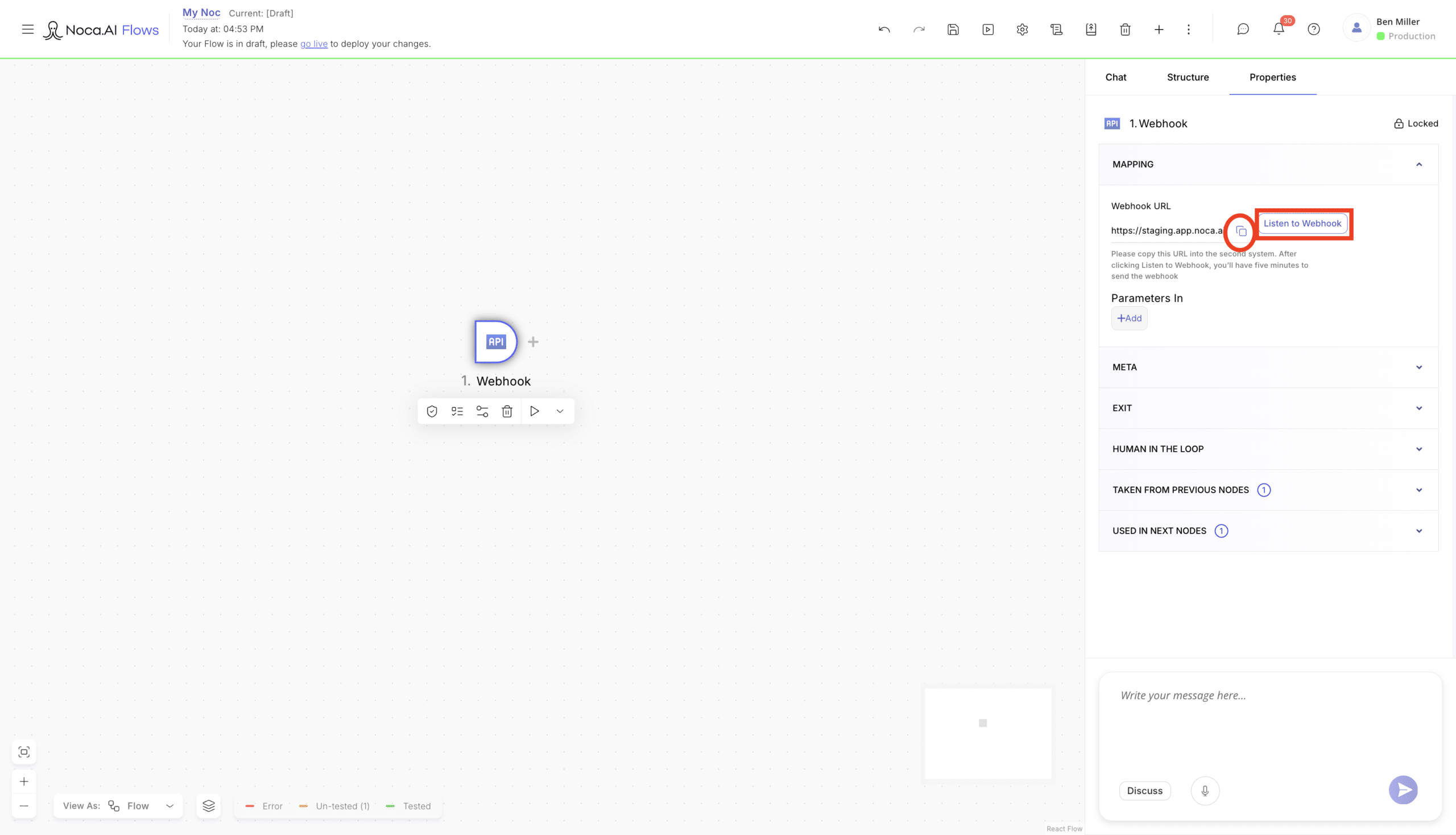
Copy your webhook URL
- Click on the webhook node in your canvas
- Go to the mapping settings on the right side of your screen
- Find the generated webhook URL
- Click Listen to webhook
- The webhook listener will actively receive parameters for 5 minutes
- Copy the webhook URL

3
Use the URL
- Paste the Noca webhook URL into your app’s Webhook URL (Endpoint) field. When that app sends an event, Noca receives the webhook payload and automatically extracts the parameters for use in your flow.


4
Build the rest of your automation
- Continue adding nodes and logic to your flow
- Use the parameters from the webhook listener at any point in the flow that you would like


Back to top