
Log Settings
The Log Settings screen lets you control how long Noca AI keeps your flow debug history.
Adjusting this helps you balance storage usage with the ability to troubleshoot past runs.
Watch & Learn
Where to Access Log Settings
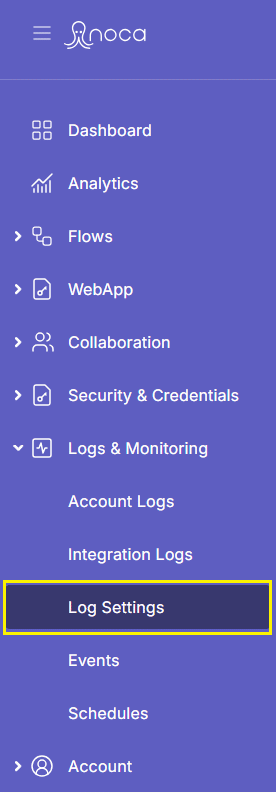
Navigate to:
Left Drawer Menu > Logs & Monitoring > Log Settings
What You Can Manage on This Screen
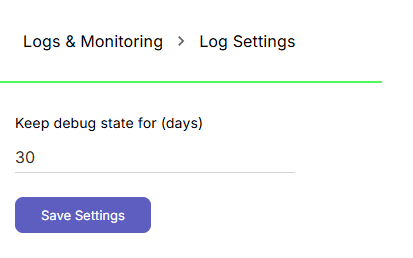
Keep Debug State For (Days)
Specify how many days to retain debug data for your flows. This helps manage storage and control how long debug history remains available.
Save Settings
After making changes, click this button to apply and save your updates.
Back to top